BlurSite – Blur Sensitive Info Before You Share Your Screen

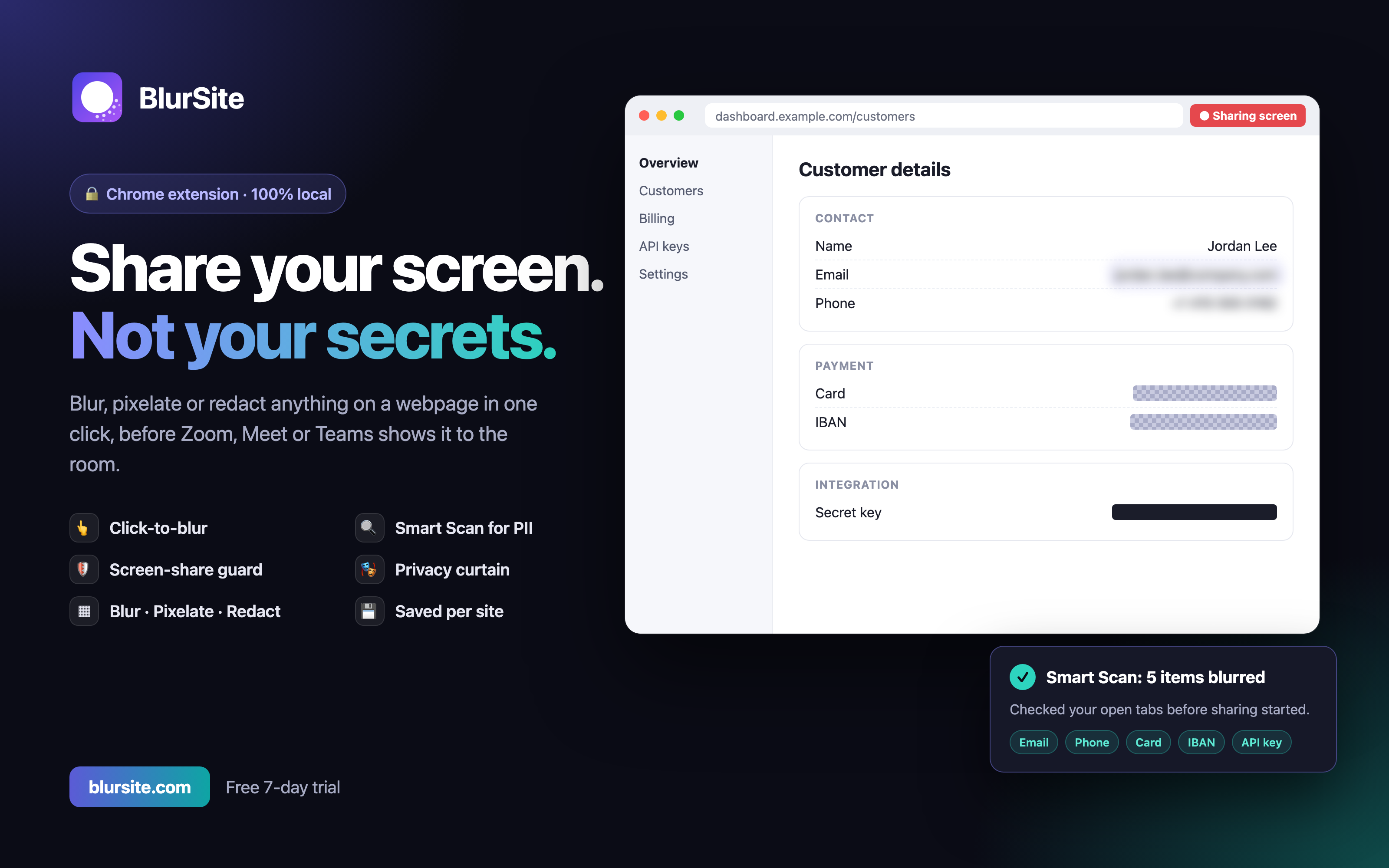
BlurSite is a Chrome extension that blurs, pixelates or blacks out anything on a webpage in real time, so you can share your screen, record demos and take screenshots without exposing private data.
What problem it solves
Screen sharing on Zoom, Google Meet or Teams often exposes things you didn't mean to show: customer emails, API keys, bank details, Slack DMs. Covering them by hand is slow and easy to forget. BlurSite blurs them before anyone sees them, and it warns you if something is still exposed the moment you start sharing.
Key features
• Blur any element: click to blur. Blurs stay attached through scrolling, page updates and single-page app navigation.
• Blur an area: drag a box over any region. It scrolls with the content, even inside apps like Slack, Notion and Gmail.
• Three styles: Gaussian blur, true pixelation, or solid redaction, with adjustable strength.
• Smart Scan: detects emails, card numbers, API keys (Stripe, AWS, GitHub, OpenAI and more), JWTs, SSNs, IBANs and phone numbers, then blurs them all in one click.
• Screen-share guard: when you start sharing on Meet, Zoom (web), Teams, Slack or Loom, BlurSite first checks your open tabs for exposed data so you can fix it before anyone sees it.
• Privacy curtain: one keyboard shortcut covers the whole page instantly.
• Presentation mode: hides BlurSite's own toolbars so viewers never see the tool.
• Saved blurs: blurs come back when you reload, for one page or a whole site.
Privacy first
Nothing about your browsing ever leaves your device. All detection and blurring happens locally in the browser.
How I built it
The extension is built with WXT and React (Manifest V3). Blurs use CSS and SVG filters and a custom anchoring system that re-finds elements after the page changes. The share guard works by intercepting the browser's screen-capture API before sharing starts. A companion Next.js web app handles accounts, licensing and payments. License keys are stored only as hashes, and device limits are enforced in the database. The project has unit tests (Vitest) and end-to-end tests in real Chromium (Playwright).
Tech stack
• Extension: WXT, React 19, TypeScript, Chrome Manifest V3
• Web app: Next.js 16, Tailwind CSS v4
• Backend: Supabase (Auth + Postgres with row-level security), Upstash Redis for rate limiting
• Payments: Paddle · Email: Resend · Hosting: Vercel
• Testing: Vitest, Playwright
Pricing: 7-day free trial, then a free tier. Paid plans start at $29/year, with a lifetime option.