WA Contacts Extractor– Automating WhatsApp Web Contact Export

How I Automated WhatsApp Web Contact Extraction for Lead Management Workflows
For many developers and teams, WhatsApp remains a primary communication channel—especially for customer support, sales outreach, and distributed teams relying on WhatsApp groups. However, WhatsApp Web still lacks one important capability: exporting contacts in a structured format.
Manually saving or copying contacts is slow, error-prone, and incompatible with any workflow that relies on CRM syncing or automated pipelines. I recently faced this exact bottleneck in my own workflow and started exploring ways to automate the process without breaking WhatsApp Web or relying on unsupported browser hacks.
After testing several approaches, the most reliable and developer-friendly method I found is WA Contacts Extractor — a tool that reads contact data from WhatsApp Web and exports it cleanly.
Why Manual Extraction Doesn’t Scale
WhatsApp Web doesn’t expose an API for contact management.
If you’re working with dozens or hundreds of conversations, you’ll face issues such as:
No built-in export function
No CSV or JSON output
High friction when migrating data into CRMs
Hard to automate or integrate with scripts
Repetitive manual copy-paste work
For teams dealing with outreach, inbound leads, or customer lists, this becomes a significant productivity blocker.
The Tool That Solved the Problem
I eventually switched to WA Contacts Extractor, which automates the entire extraction workflow.
Instead of digging into the DOM or building custom scripts that break whenever WhatsApp updates its UI, this tool reliably collects:
Contact names
Phone numbers
Chat identifiers
Structured data ready for CSV/CRM ingestion
It’s a clean and stable solution that works directly inside WhatsApp Web without requiring complex setup.
How It Works
The workflow is extremely simple and fits well with technical processes:
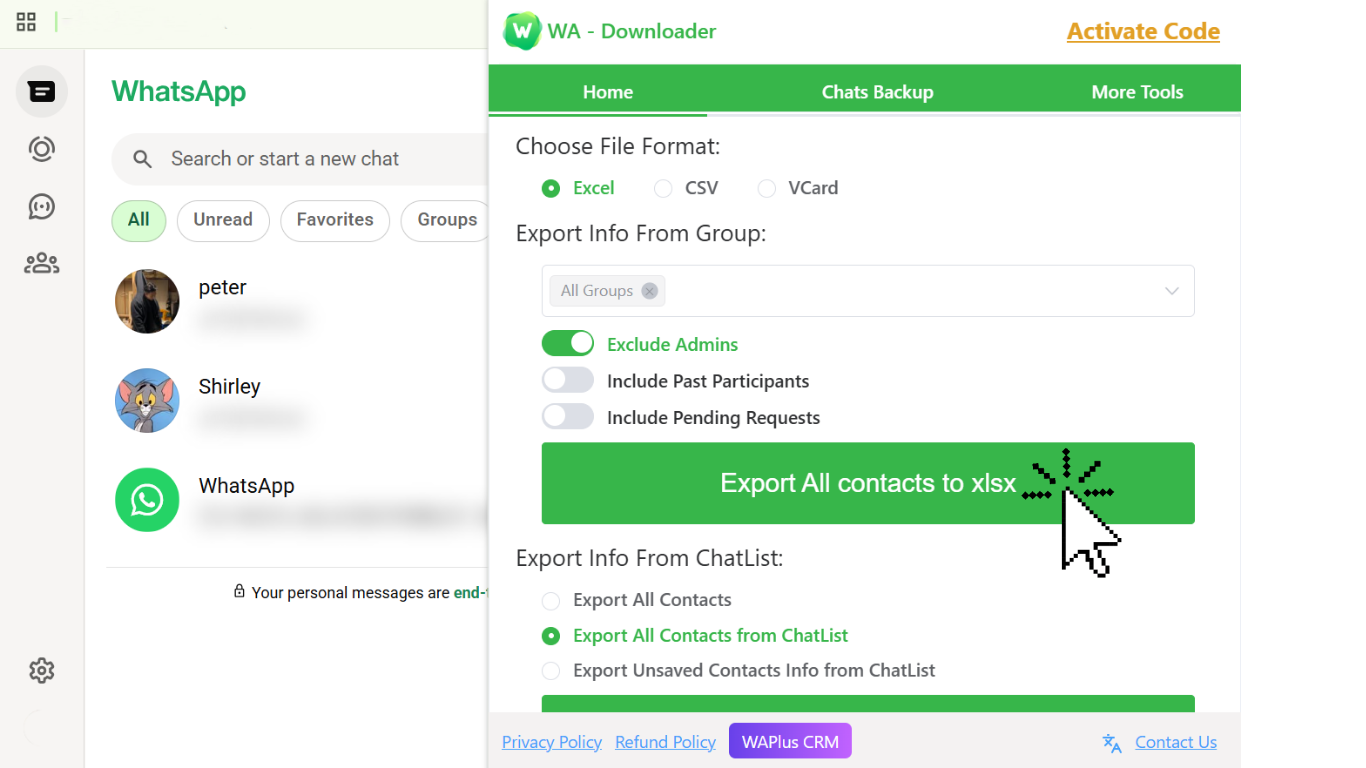
Open WhatsApp Web;Launch the extractor;Let it scan contacts automatically;Export everything in one click.
Use the output for CRM updates, scripts, analytics, or internal tools
The tool abstracts away all the repetitive steps I used to do manually. Now I can focus on logic and automation instead of data collection.
Developer-Oriented Use Cases
Here are practical workflows where this tool became genuinely helpful:
• CRM Automation
Integrating WhatsApp leads into HubSpot, Zoho, Airtable, etc.
• Internal Tools / Dashboards
Syncing WhatsApp customer lists to internal dashboards.
• Data Cleaning & Enrichment
Converting chat-based leads into structured datasets.
• Bot / Workflow Preparation
Preparing datasets for chatbot flows or marketing automations.
For anyone who works with WhatsApp at scale, this can save hours each week.
Bonus: Improving WhatsApp Web Privacy
While optimizing this workflow, I also found another tool worth mentioning:
Privacy Extension for WhatsApp Web.
If you often share your screen or work in public, this browser extension automatically blurs:
Messages
Photos
Contact names
Media previews
It makes it much safer to use WhatsApp Web in meetings or coworking spaces, and pairs nicely with the automation setup above.
Conclusion
Using WhatsApp Web for work is powerful, but the platform isn’t designed for structured data workflows. Automating contact extraction with WA Contacts Extractor eliminated an entire category of repetitive work for me and made CRM syncing far more efficient.
For developers, analysts, or teams who depend on WhatsApp data, this solution provides a stable and scalable workflow without relying on fragile scripts. Combined with tools like Privacy Extension for WhatsApp Web, it creates a much smoother and more secure environment for daily operations.