Change Skin Color Online Free

# Change Skin Color Online Free: AI Skin Tone Editor for Any Photo
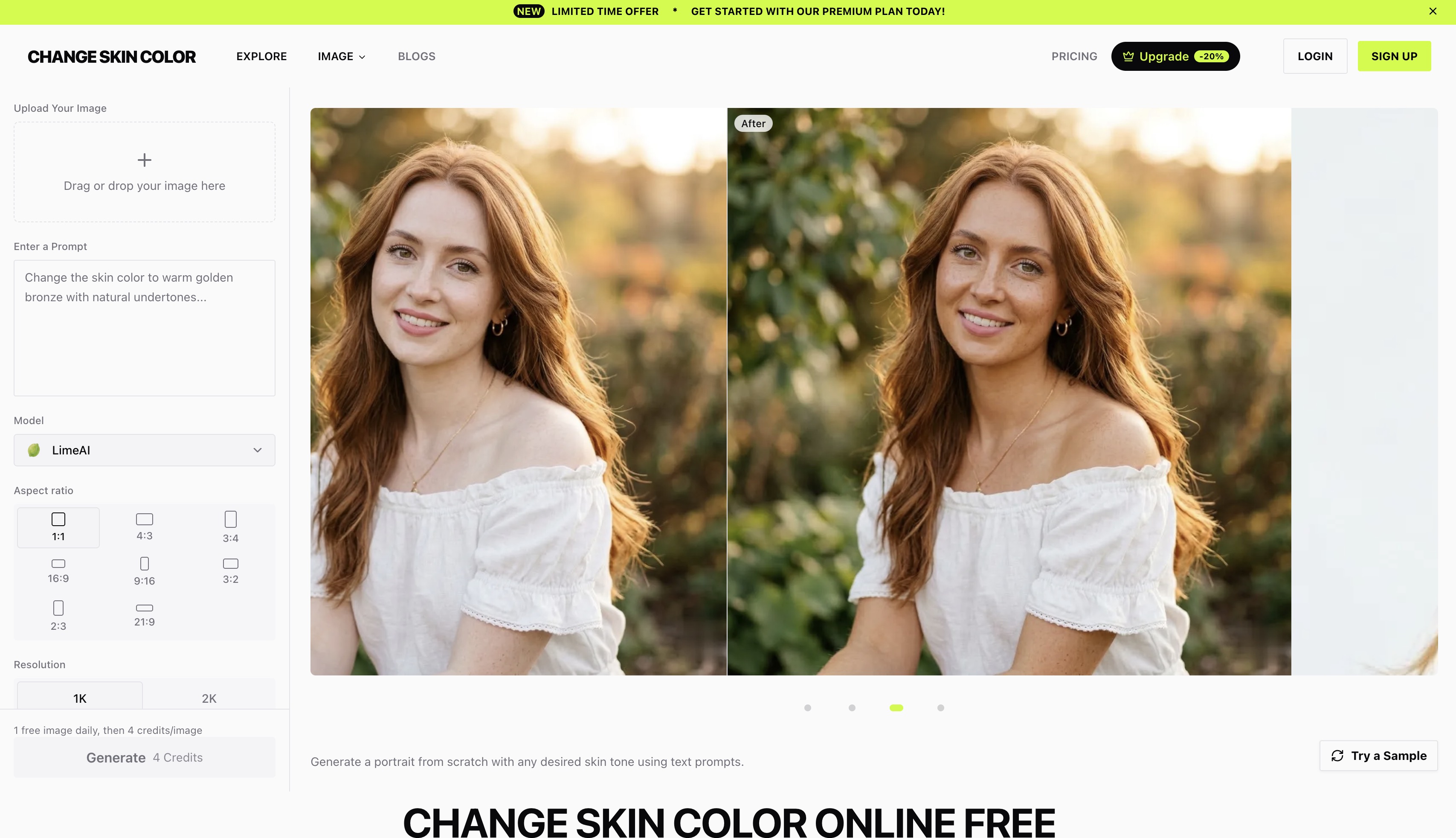
Need to **change skin color online free** without wrestling with Photoshop masks? Our AI Skin Color Changer detects skin regions in any portrait or full-body photo and re-tones them naturally — keeping hair, clothing, background, and facial details perfectly intact.
Upload a photo, describe the tone you want, and download the result. No installs, no subscription wall, no editing skills required.
## What This Free Online Skin Color Changer Does
### 🎨 Any Tone, Any Direction
Go warm olive, golden bronze, deep ebony, sun-kissed tan, or porcelain fair. The AI handles each direction with realistic shading and undertone shifts instead of dropping a flat color overlay on top.
### 🌟 Natural-Looking Results
Skin texture, freckles, moles, and existing lighting are preserved. The output reads as a real photograph, not a filter — which means it survives zoom, print, and social-media compression.
### 🆓 100% Free, 100% Online
Runs entirely in your browser. Nothing to download, no plugin to install, no credit card to test it.
### 👥 Group Photo Fix
Mismatched skin tones in group shots — usually caused by uneven flash, mixed window light, or one person standing closer to a lamp — can be balanced across everyone in a single pass.
### 🦵 Full-Body Adjustment
Faces, arms, hands, elbows, knees, legs. The AI re-tones every visible skin region consistently, so you don't end up with a tan face and pale forearms.
## Common Use Cases
- **Photographers** fixing exposure and color-cast issues across portrait sessions
- **Cosplayers** matching skin tone to a specific character
- **Character designers** previewing different skin tones for OCs and concept work
- **Marketing teams** localizing model imagery for different regions
- **Anyone** who wants a believable tan without sun damage or self-tanner
## How to Change Skin Color Online for Free
1. Upload a photo (JPG or PNG).
2. Describe the skin tone you want — for example, *"warm bronze tan, summer beach glow"* or *"even out the lighting on the woman in the red dress"*.
3. Click generate. Preview the result and download.
The whole flow takes under a minute. No Photoshop, no manual masking, no learning curve.
## Why AI Beats Manual Skin Tone Editing
Traditional skin retouching means lassoing skin areas by hand, layering color overlays, blending edges, and praying you didn't accidentally tint the lips, eyes, or jewelry. Our AI does the segmentation, color matching, and lighting reconstruction automatically — and it understands context, so a forearm in shadow gets different treatment than a forehead in direct sun.
If you've been searching for a way to **change skin color online free** that actually looks photorealistic on real people, this is it. Open the editor, drop in a photo, and see the result for yourself.