The best HTML tool of 2026 is here. Get instant previews for AI-generated HTML code.

I wanted to share a small tool I built for myself while learning frontend, and thought it might help some of you too.
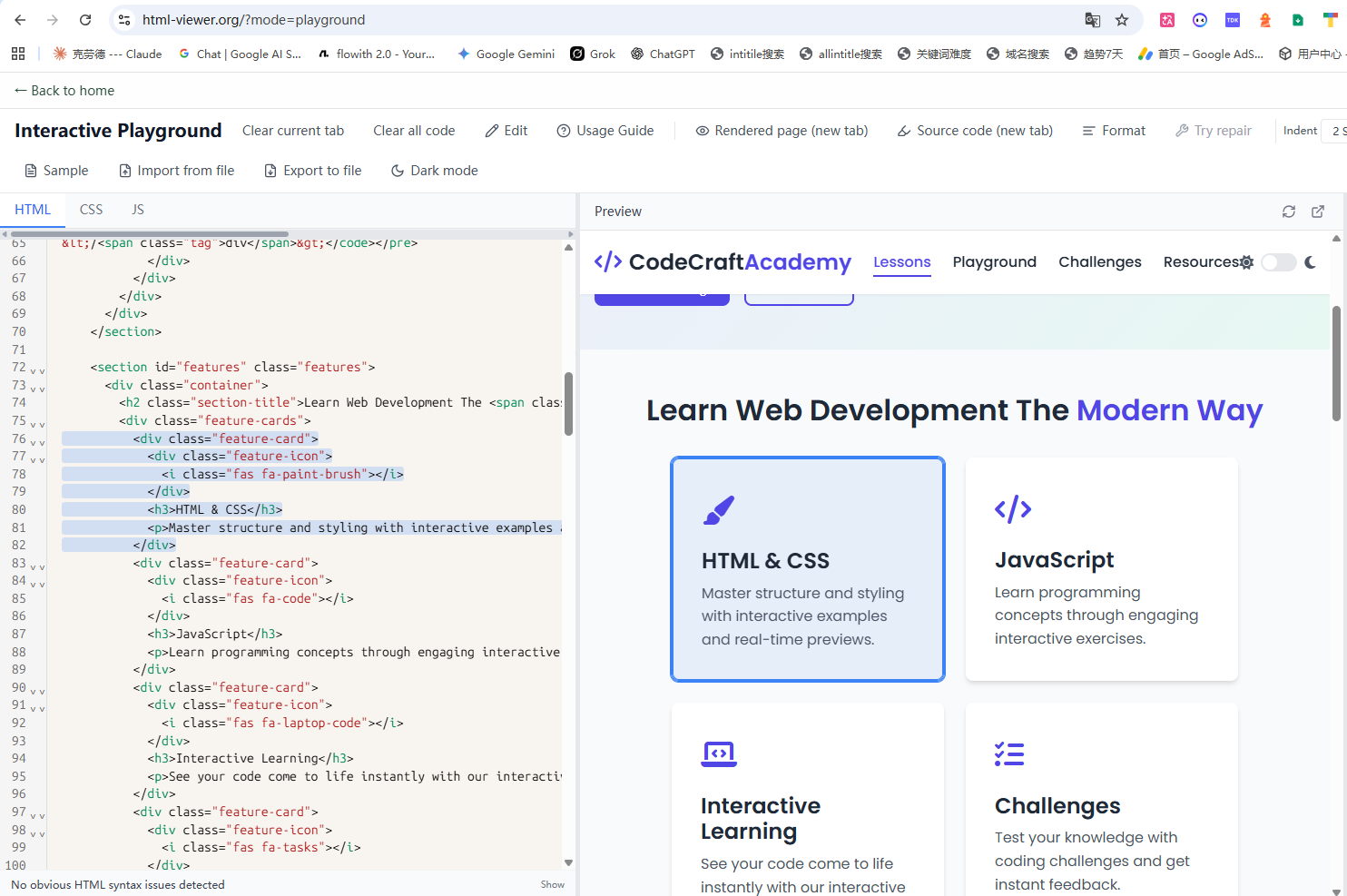
Like many of you, I got tired of constantly jumping back and forth between code and preview just to figure out which line was responsible for a specific element or style. So I built a simple HTML/CSS/JS viewer that does one thing really well: it connects the two.
Here’s how it works:
If you click a line of code in the editor (HTML, CSS, or even JS), the corresponding element on the preview page instantly lights up and scrolls into view.
If you click any element on the preview page, it jumps straight to the exact line of code that created or styled it.
No fancy setup, no accounts, no backend. Everything runs locally in your browser. I use it myself to quickly debug small snippets, learn how CSS properties affect elements, and even walk through basic JS interactions.
I know self-promotion can feel spammy, so I’ll keep it brief: if you’ve ever struggled with “where is this element coming from?” while learning or debugging, this might save you some time.
If anyone gives it a try, I’d love to hear what you think — or what you’d like to see improved.
Thanks for reading!