Flow Easily

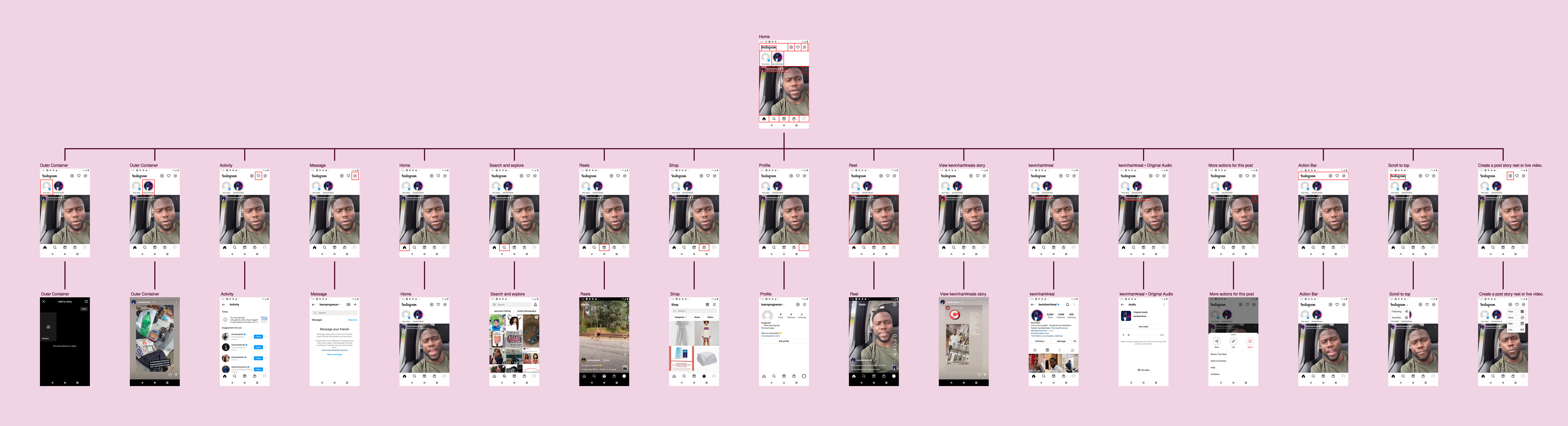
Tried drawing an app screen flow diagram on Miro and LucidChart.
Spent more time aligning elements and positioning arrows than communicating the flow.
Building a tool that can do that easily for you.
Built using React/NextJs
I upgraded Twitter's Help pages Twitter's help instructions only uses text. Why not try and revamp these instructions using FlowEasily? So I did! Here's the result: https://www.floweasily.com/examples/twitter-support#Flow Easily
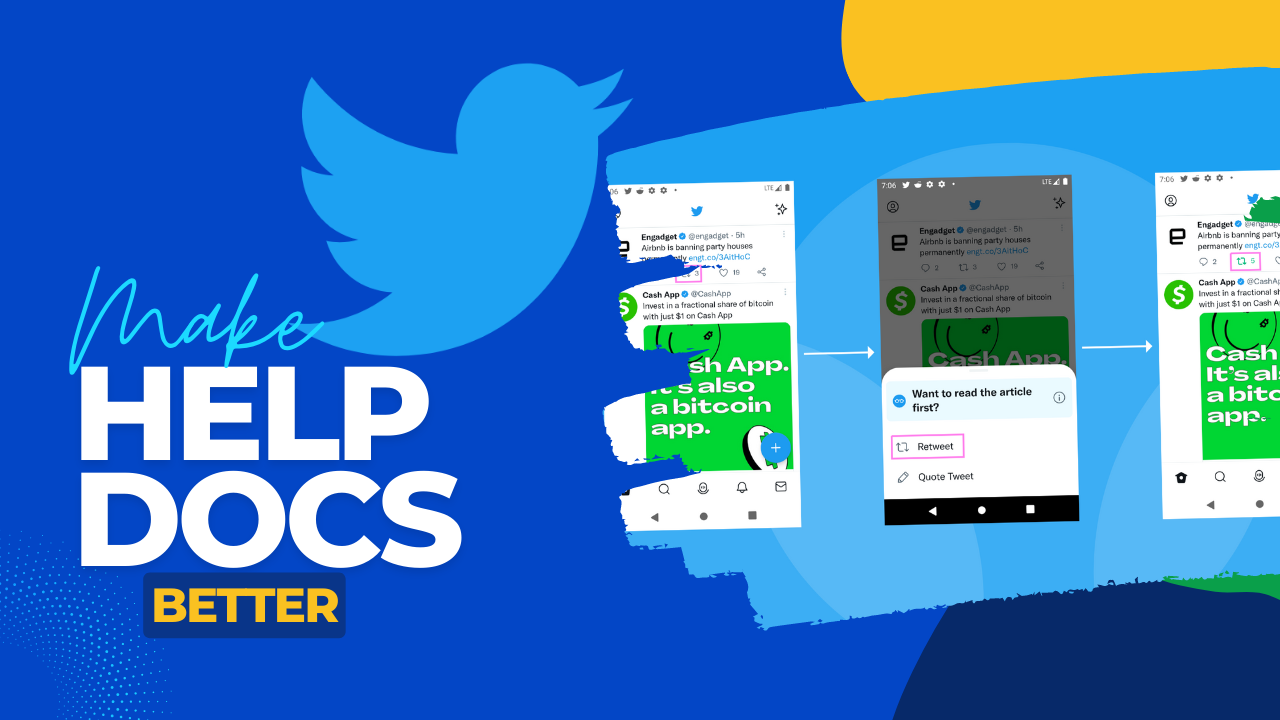
Going through Twitter's "How To" guides and seeing that there's an opportunity to add nicer screen flows for the user. Just did two sets of docs tonight. I'm getting better at doing this! Hardest part is to draw the boxes for each element.#Flow Easily
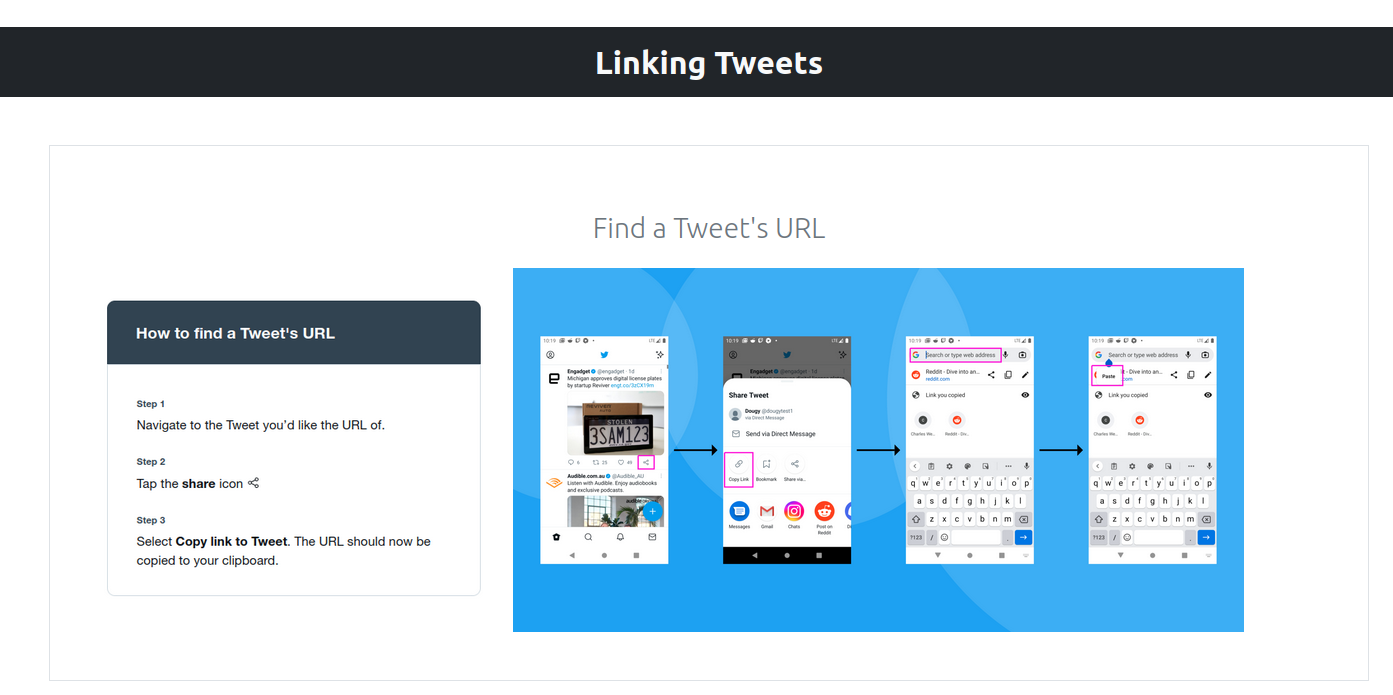
🪨 Milestone: Prototype Done! Now available to try: https://www.floweasily.com/ I had to cut everything (design etc) to focus on shipping this out. I'd love to get feedback from you: How easy to use it is? What you'd like to use it for? How can this help you more?#Flow Easily
Feel like supporting the project but don't want it to be a one way street? I've packaged FlowEasily's value proposition into a Fiverr service: https://www.fiverr.com/share/BWdGoz This way I can provide real value to supporters even while I'm building out the website.#Flow Easily
There is a tendency to choose form over function. Spent the last few days working out CSS, SASS, Tailwind, Bootstrap. Even though I have significantly improved my web development skills, I am still no closer to the finish line. Prioritize solving the problem first!#Flow Easily
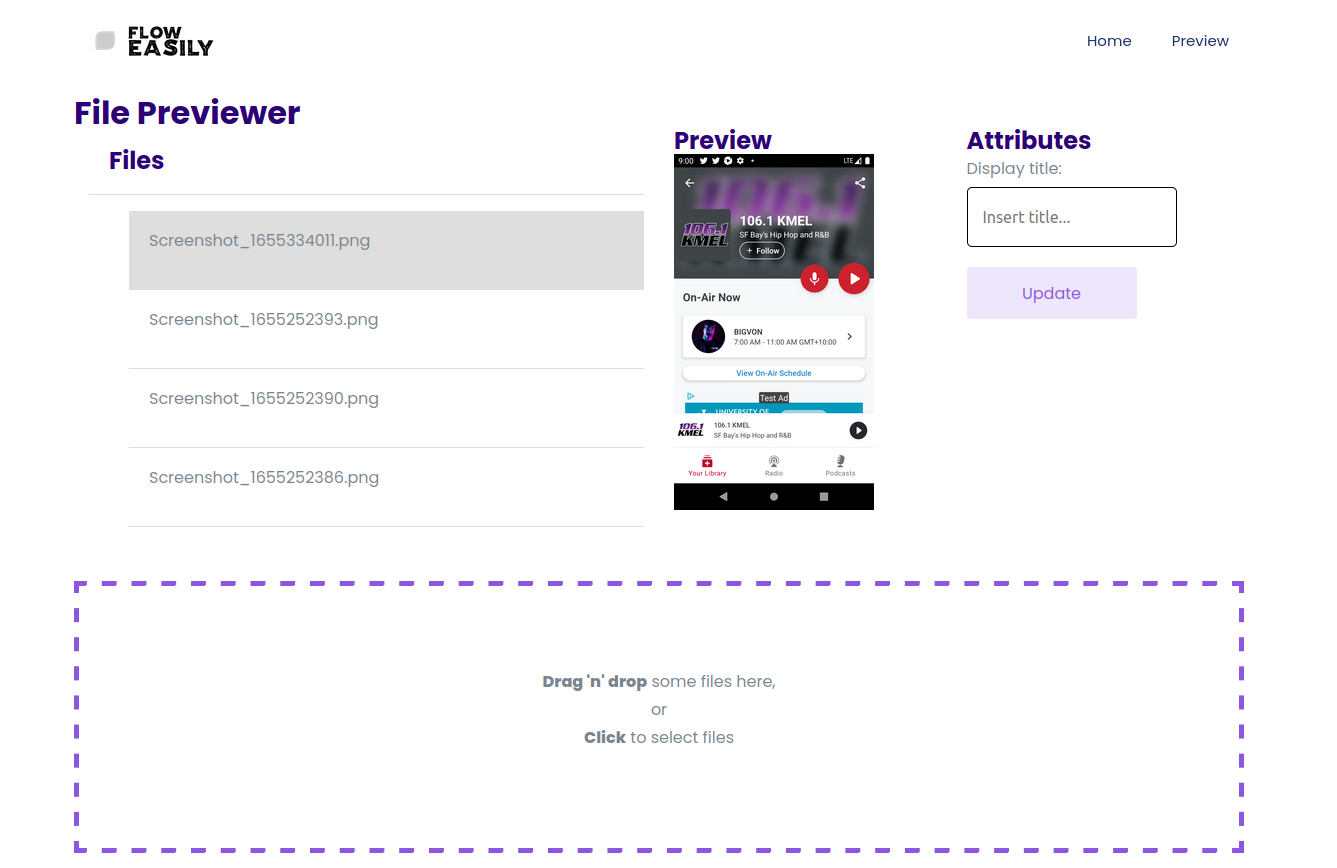
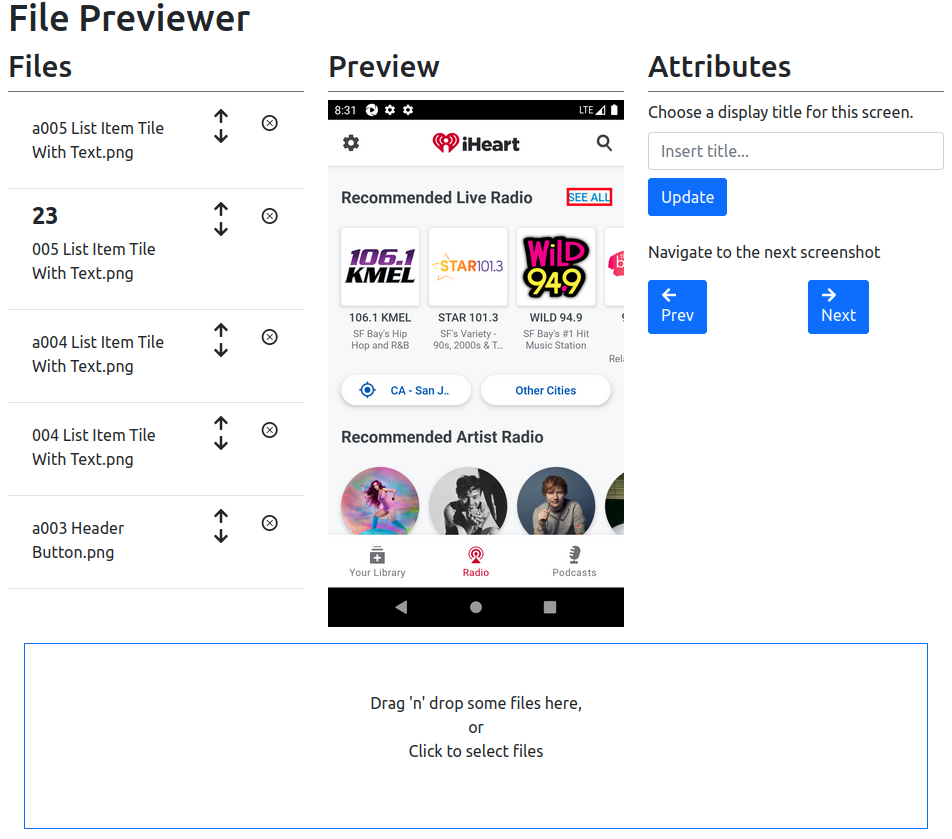
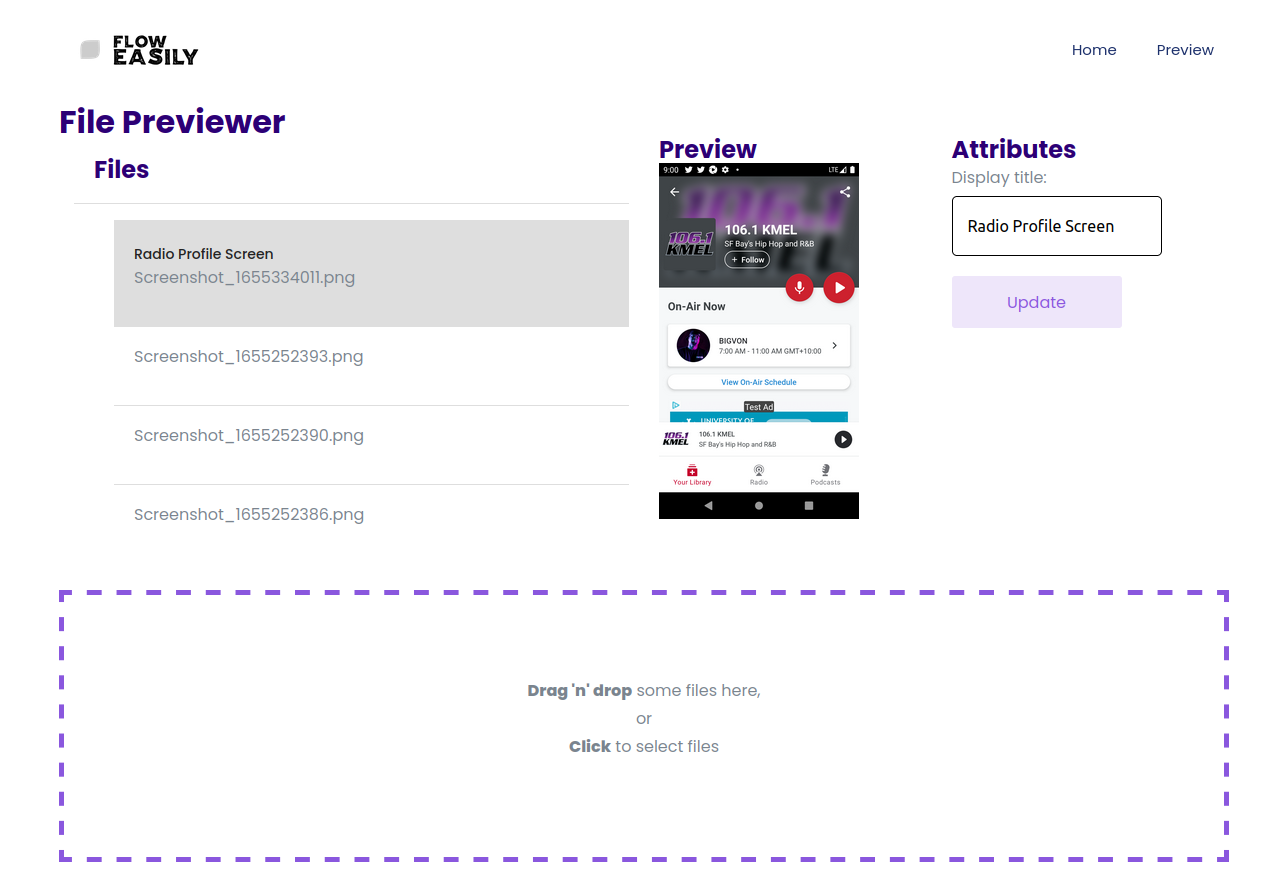
The first step of #FlowEasily is out for the world to preview. I've pushed up a screen for users to drag/drop their images in to add titles. There's no output so far, but just give them a feel for how you can easily label your screens using the tool.#Flow Easily